
Behind the puzzle · Follow one shared boundary
How a Browser Turns One Picture into Jigsaw Pieces
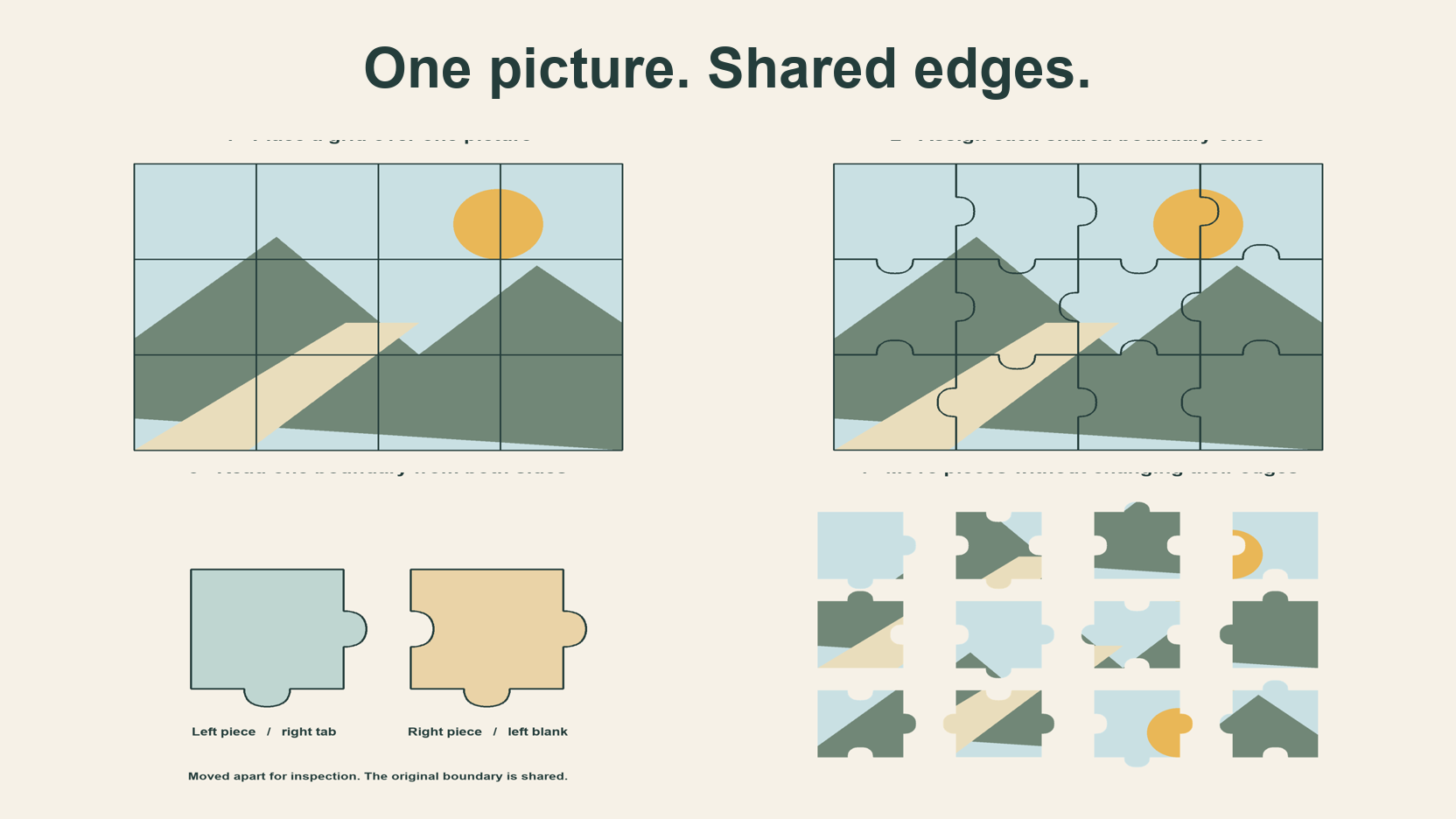
Quick summary
Here is how digital jigsaw puzzles are generated on JigsawPuzzle.pro. The game starts with a grid, assigns a shared boundary to each neighboring pair, and draws the two sides as complementary shapes. The picture is clipped to each outline before the pieces are scattered.
Key takeaways
- 01Neighbors share an edge assignment.
- 02A tab on one side pairs with a blank on the other.
- 03Moving a piece preserves its picture fragment and outline.
Start with a grid over one image
Choose Easy on this site and the picture is organized into four columns and three rows. That gives twelve pieces. The game initializes an 800 by 600 board, so each base cell measures 200 by 200 in board coordinates. A cell supplies a location even when its finished outline later sticks out into a neighboring cell.
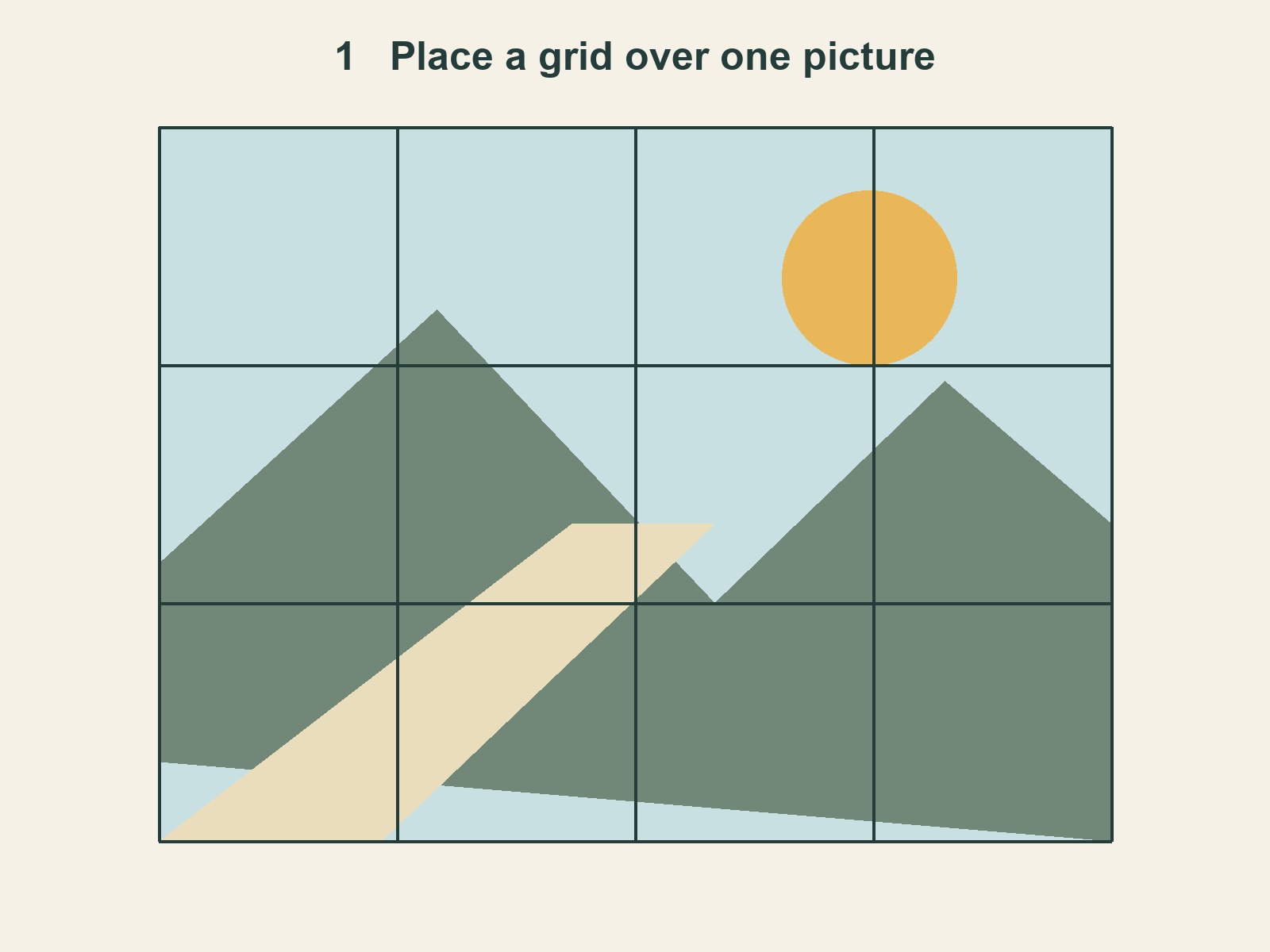
Each piece receives a row, a column and an intended position. The top left cell starts at the board origin. The next cell begins one piece width to the right. Those locations remain attached to the pieces when their displayed positions change.
Every piece draws from the same image fitted to the board. Its row and column supply the offset. A line in the landscape can therefore continue across a seam, including the picture area inside a projecting tab.
Give neighbors one shared boundary
For our twelve-cell example, there are nine internal boundaries between columns and eight between rows. Count each one once. The outer perimeter supplies fourteen flat piece edges. These counts come from the grid, before any choice about which way a bump faces.
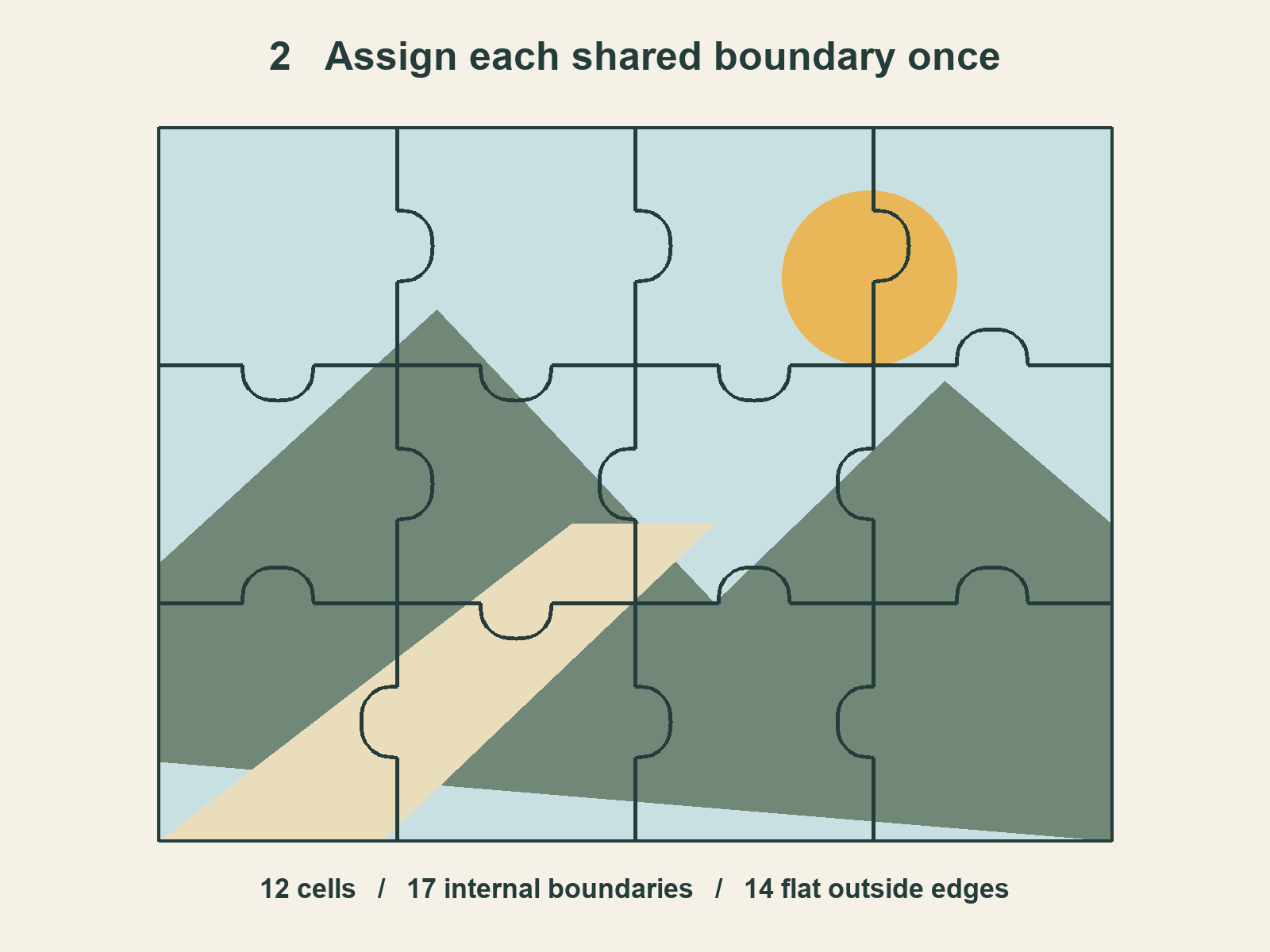
The generator stores boundary choices in horizontal and vertical arrays. A piece reads the boundaries around its cell. On two sides, it takes the opposite type so that its view of a shared seam agrees with its neighbor. This is the part of digital jigsaw piece generation that prevents two independent bumps from being assigned to the same space.
At the boundary between the first two cells in our fixture, the left piece has a right tab. The right piece has a left blank. Both describe the same dividing line from their own interiors. Follow that boundary from top to bottom and there is one curve to account for.
Turn the boundary into complementary shapes
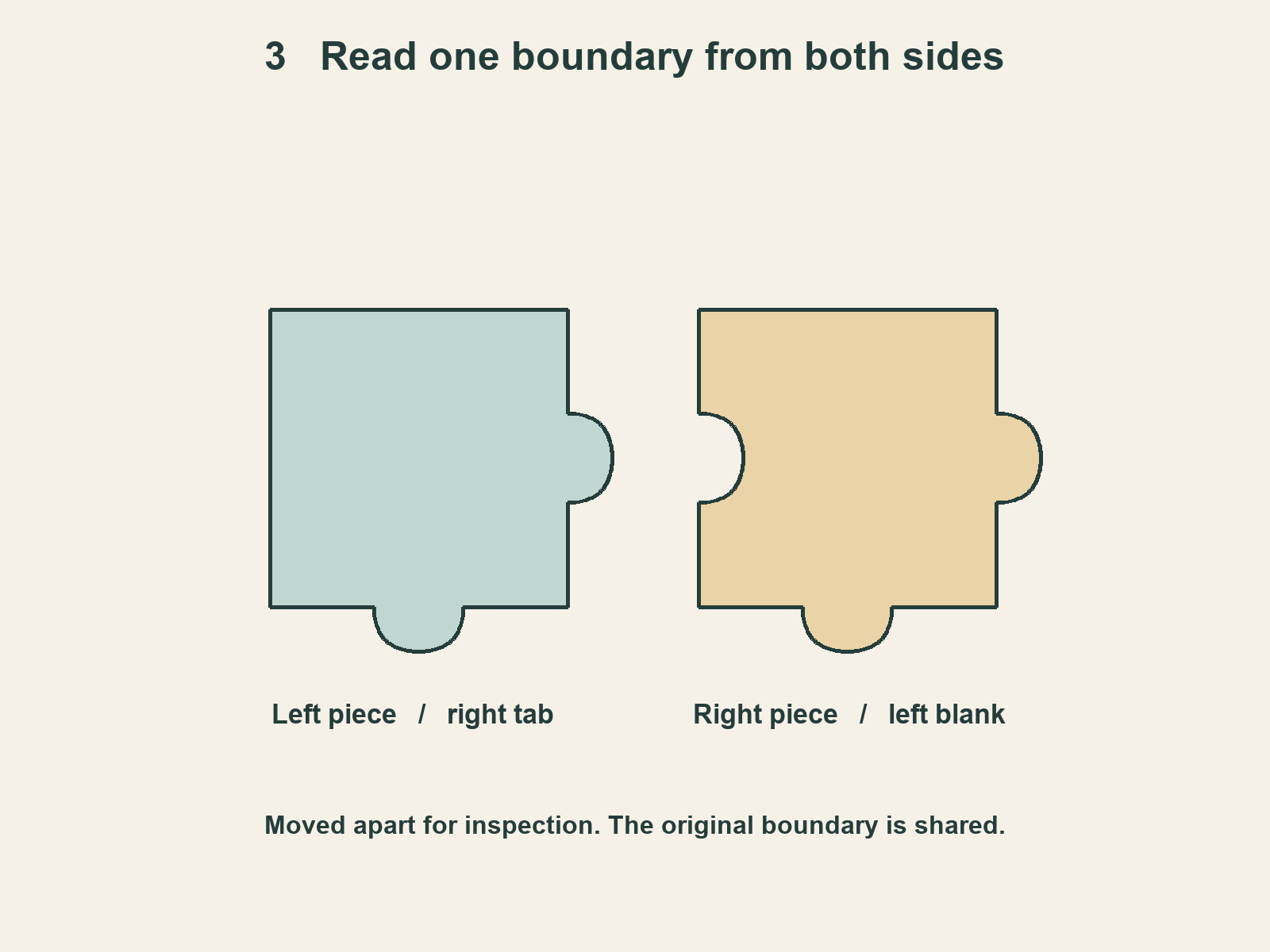
A flat edge stays straight. A tab extends outward from a piece, and a blank makes an inward recess. In the drawing, the tab on the left reaches rightward. From the right piece, that same bend takes space out of its left side. The two pieces can occupy their intended neighboring positions without a gap along this curve.
The current renderer draws each curved side with two cubic Bézier segments. You can think of their control points as handles that bend a line smoothly. You do not need the equation to see the result. The side approaches the middle, curves around the bump or recess, and returns to the base edge.
The renderer clips the picture to the outline. Imagine a piece-shaped window over the fitted landscape. The drawing keeps the picture inside that window, then strokes the border so the edge stands out against the board.
We checked the current generator and the actual canvas tracing code for these diagrams. The fixture uses a fixed seed to make its edge assignments repeatable. A normal game creates a seed internally when needed. The interface gives players a difficulty choice, while this fixed value belongs to our illustration setup.
Separate cutting, shuffling and joining
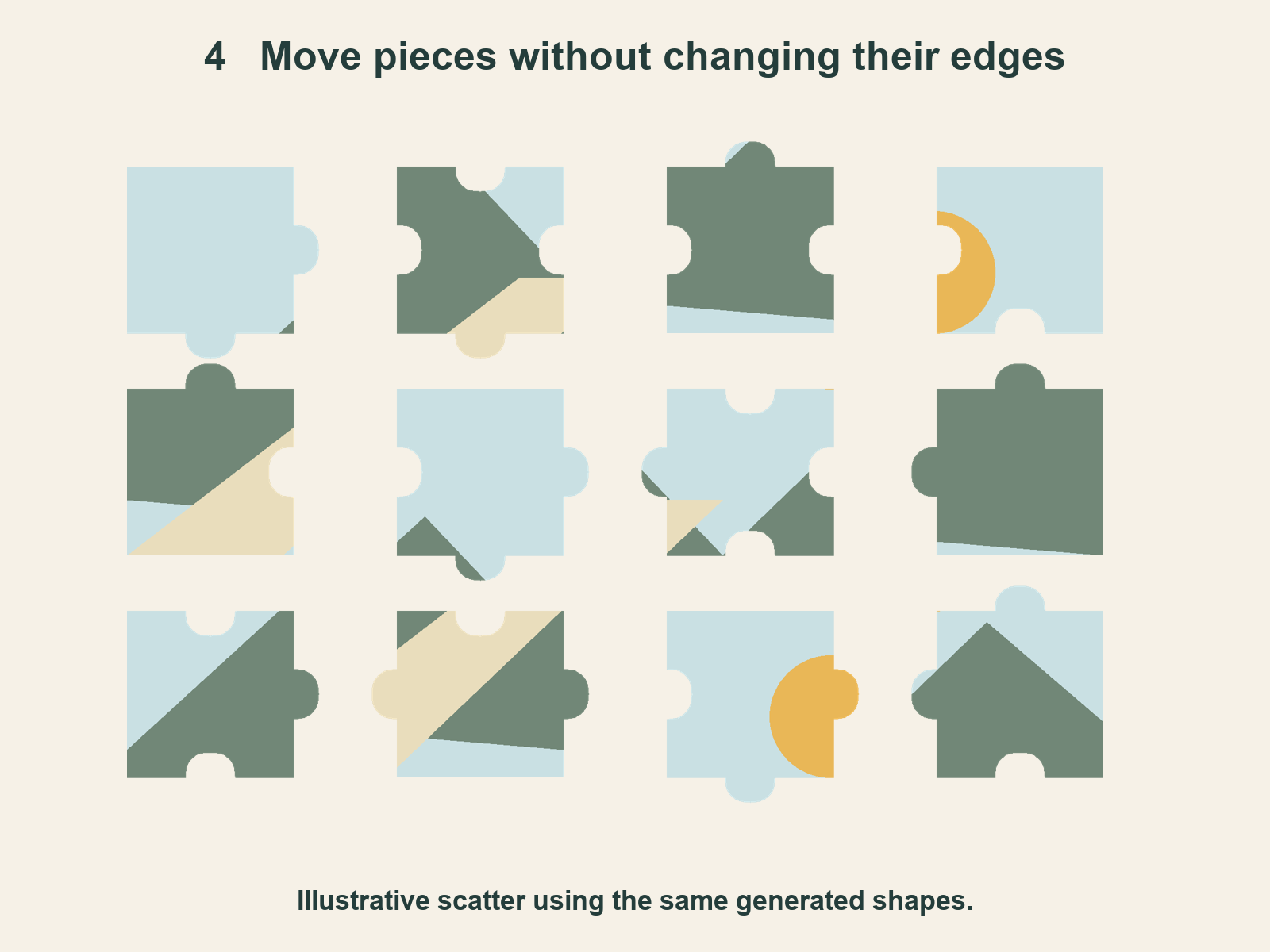
Once the pieces exist, the shuffle routine changes their current positions and drawing order. It places them in areas around the working canvas. It keeps their row, column and edge assignments. The picture fragment attached to a piece therefore travels with the same outline.
This shuffle uses a time-based random source. It is separate from the seed used to generate the edge assignments. A different scatter on a later start does not by itself tell you whether the cut directions have changed. You would need to inspect the edge data to answer that.
A tab and blank describe two complementary contours. During play, the game also checks the positions of moved pieces or groups before joining them. That is a later step. The diagrams here follow the creation of the pieces up to their separate starting locations.
Try following one detail across a seam when you play. Find where the detail ends on one loose piece, then look for its continuation on a neighbor. You are using both the picture and the shaped boundary. The grid gives each piece an intended place, even while the loose fragments sit elsewhere.
Choose a gallery picture and open an Easy board.
Use your own picture in the DIY puzzle maker.
For another implementation, PlayJigsaw publishes an algorithm document describing shared edges and clipped picture regions. Its geometry belongs to its own engine. The four diagrams here were checked against JigsawPuzzle.pro’s current code on November 6, 2026.
Sources and further reading
Frequently asked questions
Next move
Look for a shared picture detail
Start with twelve pieces and follow a detail across one seam.