
Behind the puzzle · One image and two kinds of moves
Jigsaw vs Sliding Puzzles and How Their Moves Differ
Quick summary
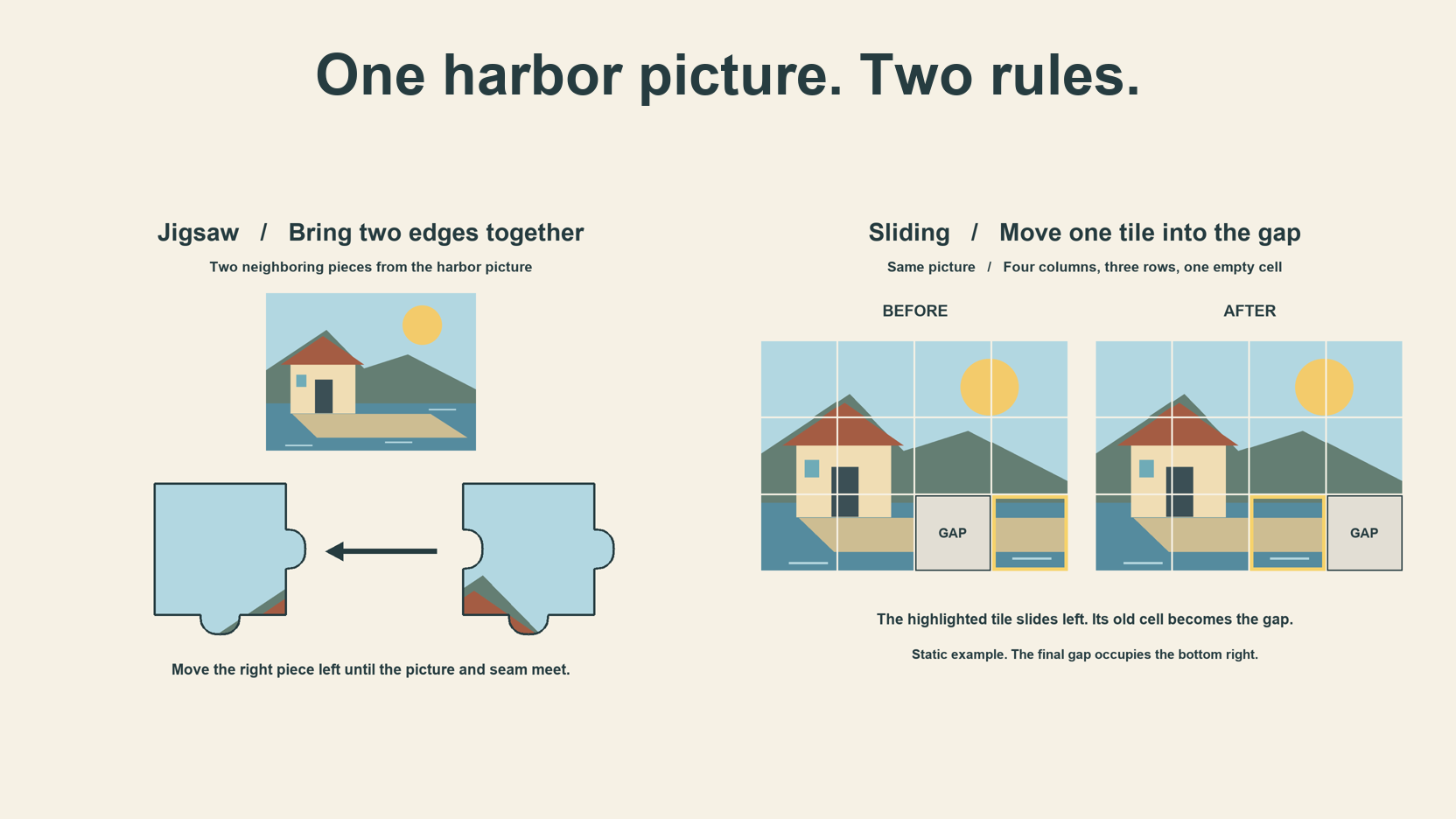
In a jigsaw vs sliding puzzle comparison, watch what the player can move. A jigsaw lets you carry a loose piece to a neighbor. A classic slider lets a tile move into an adjacent gap. The same harbor picture makes the difference visible.
Key takeaways
- 01Drag loose jigsaw pieces toward their intended neighbors.
- 02Slide a tile that shares an edge with the empty cell.
- 03Check whether a full grid uses direct swaps.
Compare the goal using one picture
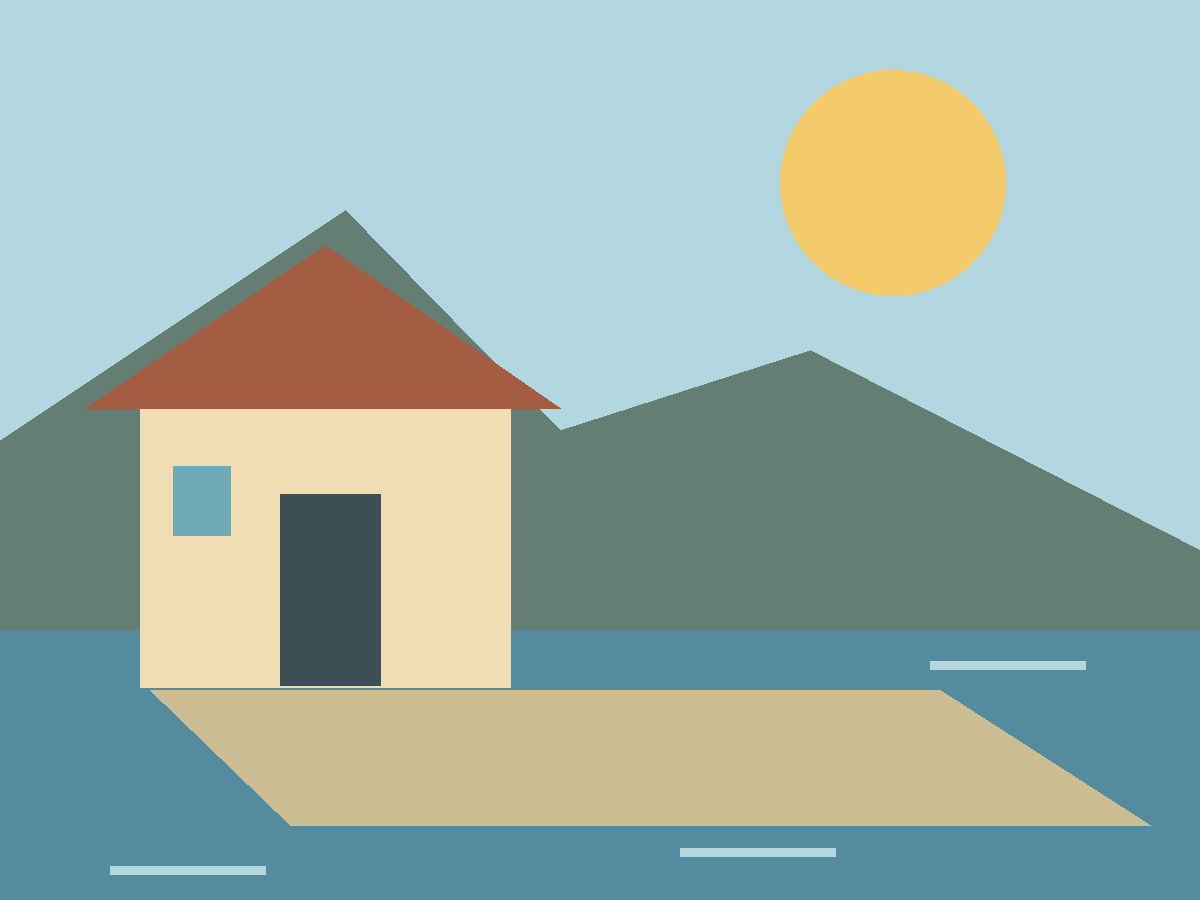
Look at the red roof in our harbor picture. In a jigsaw, you can carry a loose roof fragment to a piece that looks like its neighbor. On a sliding board, a roof tile may sit one cell from home with no gap beside it. Its destination is close, but the next move depends on where the empty cell is.
We drew the harbor once and used it in both examples. The jigsaw illustration shows two neighboring fragments from a twelve-piece layout. The sliding illustration uses the same four columns and three rows. It shows eleven square picture tiles and a vacant cell, with the bottom-right picture tile omitted for this example.
Both examples ask you to read the picture. The sloping roof and straight pier give you details to follow across boundaries. In the jigsaw, the complete assembly uses all twelve pieces. In the slider shown here, the target puts each of the eleven tiles in order and leaves the bottom-right cell empty.
Show what counts as a legal move
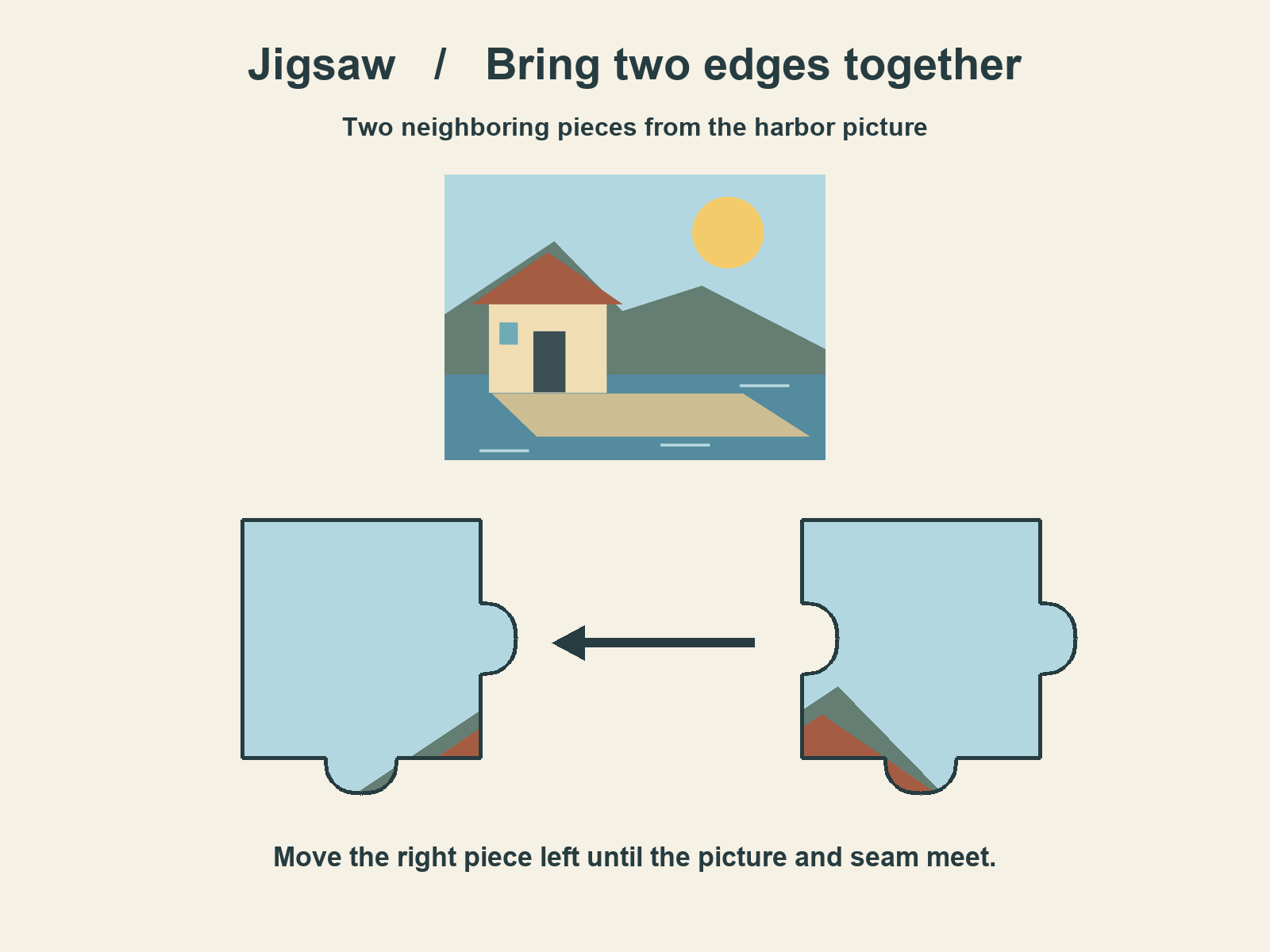
On JigsawPuzzle.pro, drag a loose piece across the board to try a placement. Its destination does not need to be an empty grid cell. To join the pair in the illustration, bring the right piece close to the left one at their intended offset. The site checks the pieces’ original row and column relationship as well as their current alignment.
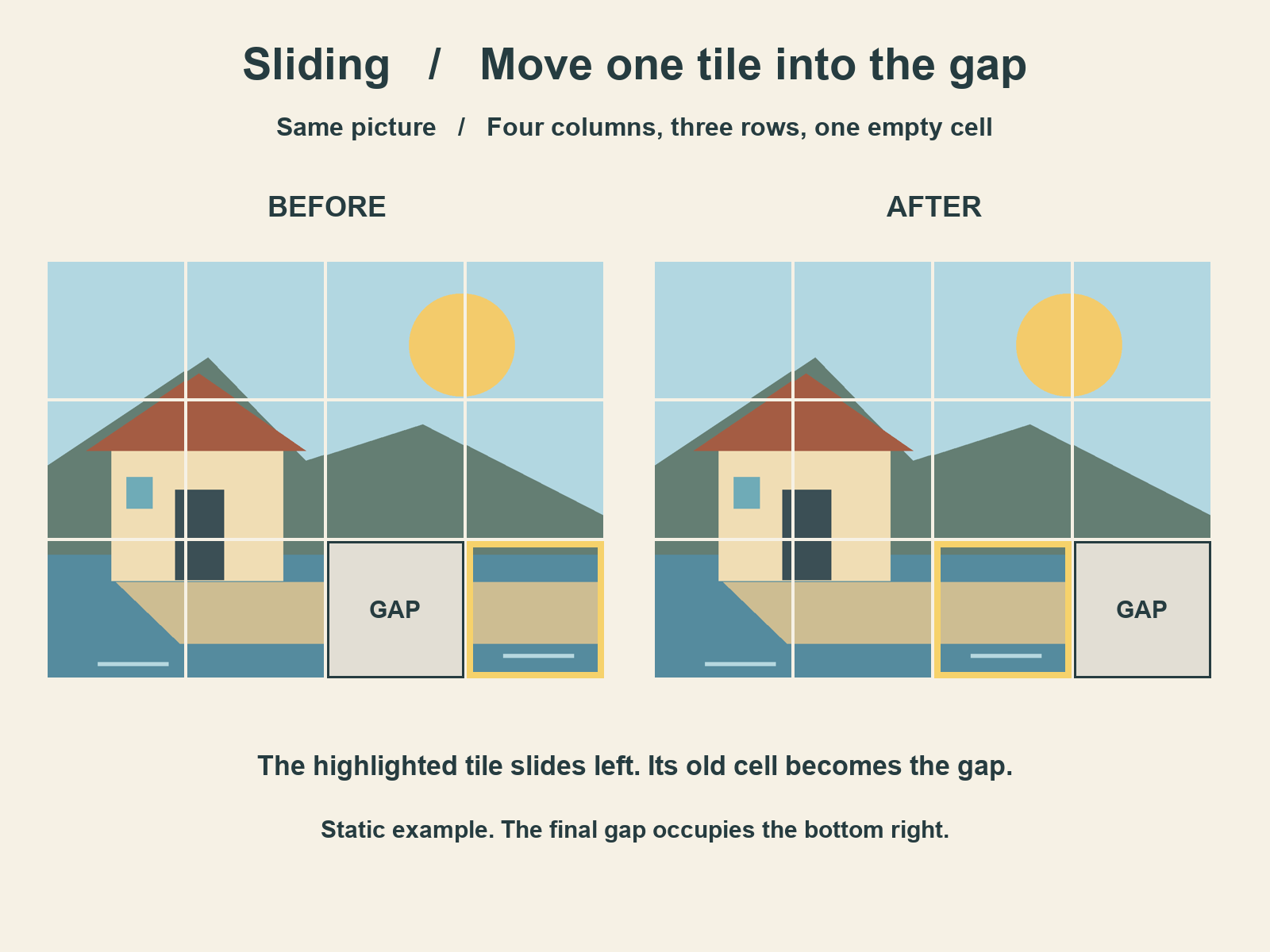
The slide in the picture is a single orthogonal move. The highlighted tile starts immediately to the right of the gap. Slide it left, and it occupies the open cell. The tile diagonally above and to the right of that original gap cannot take the same move. It touches the gap only at a corner.
| Action | Jigsaw on this site | Classic slider in the illustration |
|---|---|---|
| Move a distant piece toward its destination | Drag it across the board | Move it once it shares an edge with the gap |
| Try a neighboring pair | Bring their matching edges into alignment | Slide the neighboring tile into the vacant cell |
| Move a diagonal neighbor into the gap | The free drag has no gap rule | A single diagonal slide is illegal |
| Check the result | Correct neighbors join as a group | The moved tile leaves a new gap behind |
The Fifteen manual from Simon Tatham’s puzzle collection describes the classic numbered version of this rule. Some interfaces let a click move several tiles in a row, which amounts to a sequence of slides. Our picture example shows just one tile moving one cell, so you can see the rule directly.
Explain why an empty space changes the task
Look at the before board again. The gap is in the third cell of the bottom row. Three tiles share an edge with it. After the highlighted tile slides left, the gap is in the bottom-right corner, where only two tiles share an edge with it. You can now move the tile above that corner or reverse the slide you just made.
That change matters when a tile you want is several cells away. Even when you know where it belongs, the gap has to reach an adjacent position first. A move that makes the picture look less complete can still put the gap where you need it for the next slide. The arrangement and the route through it are both part of the task.
In the browser jigsaw, you can take that roof fragment directly to a likely match. Moving pieces aside can make the seam easier to see. The cleared area is workspace. It does not set the order in which you can move pieces.
Choose the kind of picture game you wanted
When a title simply says picture puzzle, look at a screenshot or the first instruction. Loose shaped fragments and a drag instruction point toward a jigsaw. A fixed grid with one empty cell and a slide instruction point toward the classic sliding rule. Those clues tell you more about how the game plays than the image on its cover.
Among other picture puzzle types, a swap game can start with every cell filled. Jigblock describes a rule that lets you swap any two tiles and locks correct sections together. If the instructions say to swap two occupied cells, you already know the board follows a different movement rule.
To remember the jigsaw and sliding tile difference, ask what you want to do next. Carry a piece to a neighbor and build a section in a jigsaw. Choose a slider when you want to work a tile into place through a sequence of moves around the gap.
JigsawPuzzle.pro offers the loose-piece jigsaw shown here. The slider appears as a static example in this article. To try the drag-and-join controls, open a gallery image on Easy and find two fragments with a shared detail. Move one close to the other and see where their edges line up.
Sources and further reading
Frequently asked questions
Next move
Try the loose-piece jigsaw
Pick a gallery image and look for a detail that crosses one seam.