
Play better · A calmer way to start
How to Solve Jigsaw Puzzles Online: A Practical Step-by-Step Guide
Quick summary
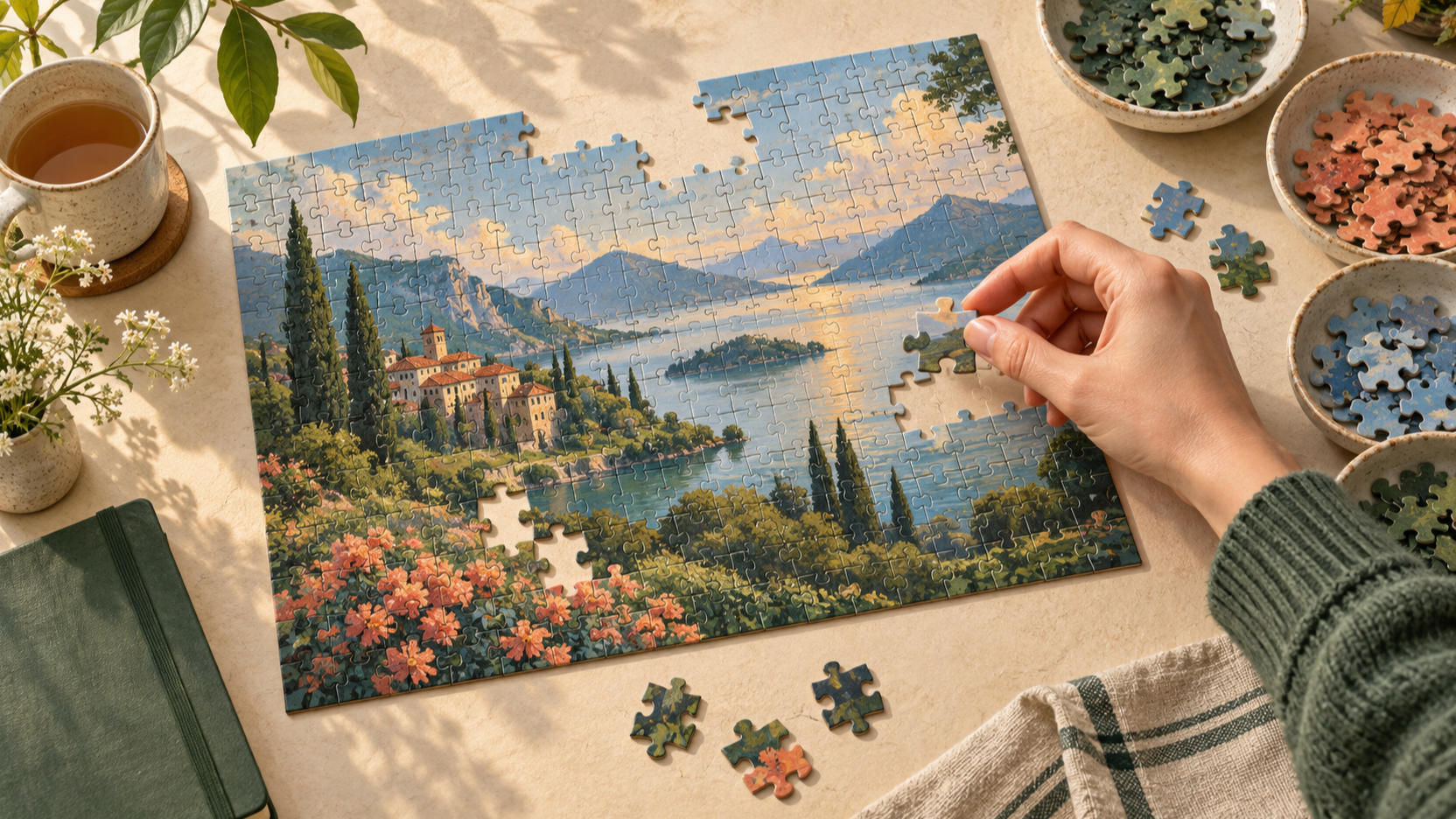
The quickest way to solve an online jigsaw puzzle is not to rush the first piece. Give yourself a small, clear board; find a few reliable visual anchors; then let those anchors pull the rest of the image into place.
This guide turns that approach into a repeatable routine. It works especially well for a browser puzzle because the reference image, progress view, zoom controls, and saved-game tools can support your attention instead of competing for it.
Key takeaways
- 01Start with a picture that has clear color changes and a piece count you can finish comfortably.
- 02Build the edge and two or three distinctive areas before testing large groups of similar pieces.
- 03Use the reference image to confirm a hypothesis, not as a substitute for looking at the board.
- 04When progress stalls, switch to a smaller, more specific task rather than forcing random fits.
- 05Move from 12 to 24, 48, and 96 pieces only when your current routine feels repeatable.
Start with the right online jigsaw puzzle
A good first board has useful visual landmarks: a roof line, a bold flower, a horizon, a face, or a strong change from light to dark. Those details give you places to begin before the pieces start to feel interchangeable. A low-contrast sky, a field of nearly identical leaves, or an image with one flat color can be enjoyable later, but it makes the first few minutes needlessly vague.
On JigsawPuzzle.pro, the difficulty choices are 12, 24, 48, and 96 pieces. If you are learning an online jigsaw puzzle strategy, choose 12 or 24 pieces first. The goal is to practice a reliable process, not to prove that you can survive the most crowded board.
- Choose an image with at least three clearly different visual zones, such as sky, water, and buildings.
- Prefer obvious edges, straight lines, or strong color blocks for your first few puzzles.
- Keep the first session short enough that you can finish with attention still left for the last pieces.
Use a repeatable first-five-minutes routine
The opening sets the pace for the whole puzzle. Instead of grabbing the most attractive piece, spend a minute making the board legible. You are looking for structure first and completion second.
- 1
Look at the complete image once.
Notice the largest light and dark areas, the strongest lines, and any object that has a recognizable outline. These are your likely anchors.
- 2
Find corners and border candidates.
A frame gives the rest of the image a fixed coordinate system. If a border is not obvious yet, leave it and move to a more distinctive area rather than forcing it.
- 3
Make two or three small anchor groups.
A bright window, a flower patch, or a mountain ridge is more useful than a broad pile of “blue” pieces. Complete a small visual feature before moving on.
- 4
Connect the anchors deliberately.
Once the positions of a few landmarks are clear, work through the bridge between them. The nearby colors and shapes have more context now.
This routine prevents a common online puzzle mistake: repeatedly trying pieces in random locations because the board feels open. A small amount of setup replaces that trial-and-error loop with information you can use.
Sort pieces by useful information, not color alone
Color is a helpful first filter, but it is rarely enough on its own. A blue piece might belong to water, sky, a painted wall, or a shadow. Combine color with texture, direction, and subject matter before you commit to a placement.
- Texture: separate smooth sky from rippling water, foliage, fabric, or stone.
- Direction: look for diagonal branches, roof lines, shorelines, and shadows that continue across a join.
- Contrast: save high-contrast pieces for distinctive objects; use low-contrast pieces to fill the quiet areas later.
- Shape: use the tabs and blanks to eliminate impossible neighbours after the image clues narrow the options.
Treat every proposed connection as a small claim: the contour should make sense, the image should continue naturally, and the piece shape should agree. When all three agree, the placement usually feels calm rather than merely possible.
Use online puzzle controls to protect your focus
Digital tools work best when they reduce friction. On JigsawPuzzle.pro, use the reference-image control when you need to check a region, and use the zoom controls on a larger screen when a fine edge or texture is hard to read. The pause control is useful when you want a break without turning a relaxed puzzle into a race against the clock.
Your progress is also saved locally in the browser while you play. That makes it reasonable to stop after completing one area, then return with fresh eyes. A short reset is often more productive than another ten minutes of staring at the same color field.
When you get stuck, change the task
A stalled puzzle does not mean you have run out of skill. It usually means the current task is too broad. Shrink it until you can make a decision again.
- Return to an unfinished edge instead of searching the entire board.
- Choose one texture, such as clouds or leaves, and look only for pieces that match it.
- Move away from a uniform area and complete a higher-contrast object first.
- Pause briefly, then reopen the reference image with one missing area in mind.
Avoid forcing “almost right” joins just to create movement. A wrong connection creates a believable but useless mini-picture, which makes the real next step harder to see. Leaving a piece unplaced is often the more efficient choice.
Choose your next jigsaw difficulty on purpose
Share one screen with the cooperative turn-taking rule card.
Piece count changes more than the duration. It changes how much visual sorting you need before you can make confident decisions. Use the next level to add one new kind of difficulty at a time.
| Level | Pieces | Best use |
|---|---|---|
| Easy | 12 | Learn the interface and practice the opening routine. |
| Medium | 24 | Build edges and distinct areas without too much visual noise. |
| Hard | 48 | Practice grouping pieces by texture and direction. |
| Expert | 96 | Take on a longer session with more subtle visual transitions. |
Advance when you can finish a board without random searching, not just when you happen to finish it. That is the difference between repeating a puzzle and developing a jigsaw puzzle strategy.
Conclusion
The best online jigsaw puzzle tips are simple: begin with structure, place only the pieces you can explain, and make every stuck moment smaller. The method stays the same whether you are working with 12 pieces or 96.
Pick a clear image, give the first five minutes some intention, and let the puzzle become more specific as you go. That is a more satisfying way to solve jigsaw puzzles online than trying to move faster than the board can teach you.
Frequently asked questions
Next move
Put the method into practice
Choose a picture from the gallery, or create a fresh board from a photo you already love.