
Create your own · From picture to playable board
Make a Jigsaw Puzzle From a Photo Online: A Simple Step-by-Step Guide
Quick summary
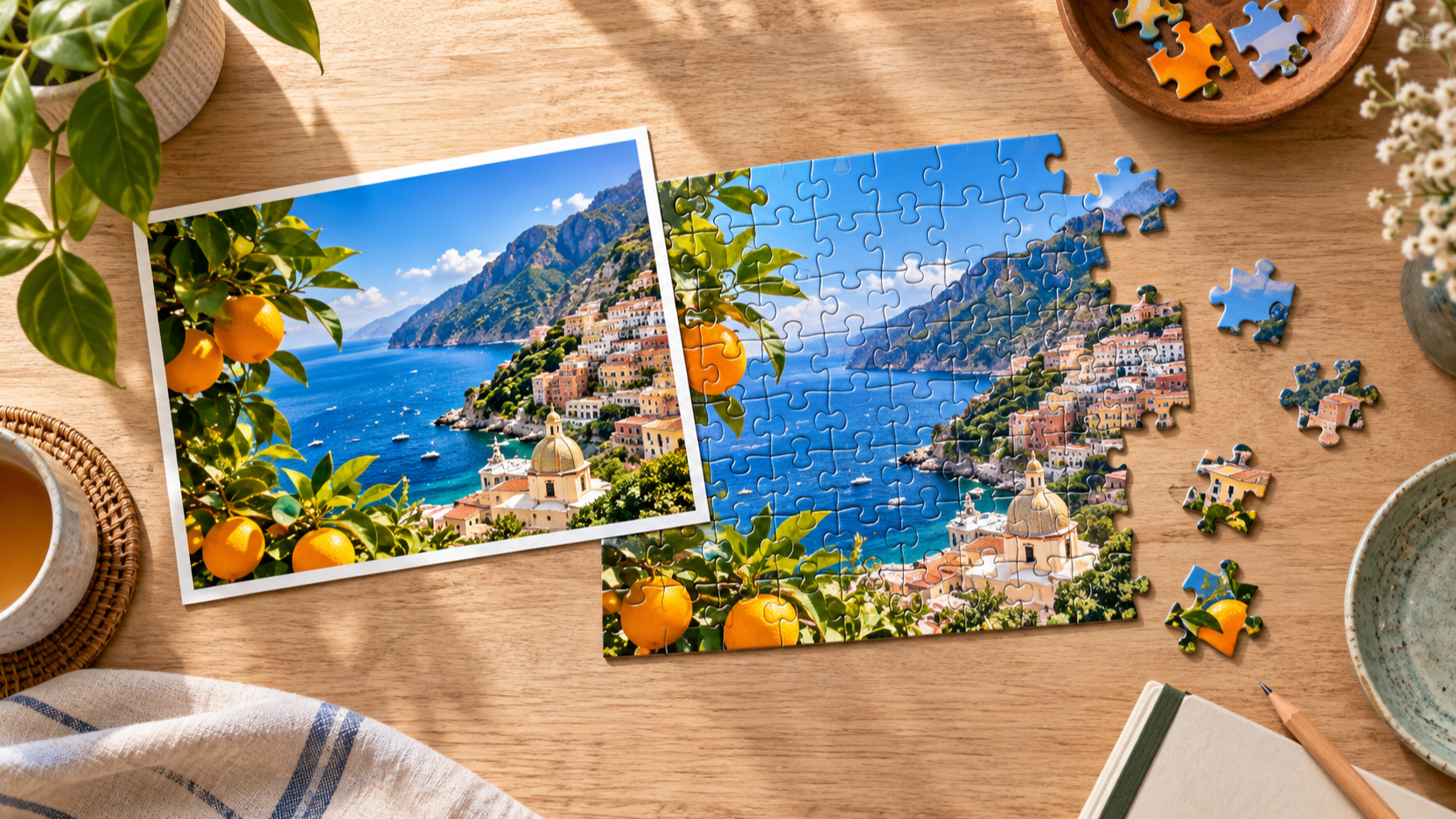
To make a jigsaw puzzle from a photo online, start with an image that gives your eye somewhere to travel. A good photo has a few distinct colors, textures, and shapes, so the finished puzzle feels like a sequence of discoveries rather than one large flat area.
JigsawPuzzle.pro turns a supported image into a playable browser puzzle. You choose the photo, select a difficulty, and begin on the same device; the image processing and saved progress stay in your browser instead of becoming a public upload.
Key takeaways
- 01Choose a photo with several distinct visual zones, not one large area of similar color.
- 02Keep the most meaningful subject away from the extreme edge when possible.
- 03Use a low piece count to test a new photo before committing to a longer custom puzzle.
- 04JigsawPuzzle.pro supports JPEG, PNG, WEBP, and HEIC images up to 20 MB for the DIY flow.
- 05Use a clear name or memory for the image; it helps you return to the right saved puzzle later.
Know what an online photo puzzle is
A custom online jigsaw puzzle is a playable version of your image, not a printed product. You do not need to plan a physical cut pattern, shipping, or a box design. Instead, you are choosing an image that will be satisfying to reassemble on a screen.
That distinction makes the choice of photo more important than the choice of occasion. A favorite holiday snapshot can work well, but only if it has enough useful detail. A dramatic skyline, a pet in front of textured grass, or a table full of colorful food usually gives you more to work with than a single soft wall or a heavily blurred portrait.
Choose a photo that will make a satisfying puzzle
Using several photos? Compare collage layouts and export one tested JPG before starting your puzzle.
The best custom jigsaw puzzle photos contain visual changes at more than one scale. You want a big overall composition, a few recognizable objects, and some smaller details that become useful later.
- Look for contrast: a light building against dark trees, a bright coat against a neutral background, or water beside a rocky shore.
- Look for anchors: faces, windows, flowers, signs without relying on readable text, boats, branches, or a clear horizon line.
- Look for texture: bricks, clouds, fabric, leaves, waves, and patterned objects are easier to sort than a smooth color wash.
- Avoid a subject that fills the entire frame with no background variation, unless you want a deliberately difficult puzzle.
Prepare the image before you upload it
You do not need elaborate editing to create a puzzle from a photo. A quick check of framing and clarity is enough. Make sure the important subject is visible, the image is not accidentally rotated, and the small details you care about are not hidden at the outermost edge.
- Use the clearest original you have rather than a screenshot of a screenshot.
- Keep a little breathing room around a face, pet, building, or object that you want to recognize during play.
- Choose a version with natural contrast; lifting a very dark image slightly can make its details easier to sort.
- Remove nothing just because it is imperfect. A small color variation or familiar background can create useful puzzle anchors.
For the DIY flow on JigsawPuzzle.pro, you can select JPEG, PNG, WEBP, or HEIC files up to 20 MB. The image is processed in the browser before the game begins, so use a file you are comfortable keeping on your own device.
Transparent PNG? Compare backgrounds and flatten a puzzle copy.
Photo too large? Reduce a copy with the photo file-size guide.
HEIC photo not opening? Follow the HEIC upload troubleshooting guide.
Picture cut off? Compare cropping with borders in the photo framing guide.
How to make a jigsaw puzzle from a photo on JigsawPuzzle.pro
- 1
Open the DIY page.
Choose DIY in the main navigation. The page is the starting point for a custom jigsaw puzzle maker workflow.
- 2
Select or drop your image.
Pick a supported photo from your device, or drag it into the upload area. Check that the image you selected has the right framing before you continue.
- 3
Let the browser prepare the image.
Wait for the local processing step to finish. This prepares the photo for the playable board without asking you to create an account.
- 4
Choose a piece count that matches the picture.
Start with 12 or 24 pieces for a new image. Move to 48 or 96 pieces once you know the photo has enough separate areas to support a longer session.
- 5
Play, pause, and return when you need to.
Use the reference image and your saved-game tools as you work. Progress is stored locally in the browser you are using.
Match the photo to the right piece count
A familiar photo can still become a hard puzzle. The piece count should reflect the image complexity, not just how much you like the subject. A simple portrait with a plain background may be more difficult at 48 pieces than a busy street scene at the same level.
| Photo type | A useful starting point | Why it works |
|---|---|---|
| Bold pet or portrait | 12 pieces | Tests the photo without overloading a smooth background. |
| Travel scene or family event | 24 pieces | Leaves room for landmarks, clothing, and background details. |
| Landscape with texture | 48 pieces | Lets you use clouds, foliage, water, and architecture as separate groups. |
| Busy collage or detailed scene | 96 pieces | Creates a longer challenge with many visual anchors. |
There is no penalty for testing the same image at a smaller size first. That short trial tells you whether the photo has readable structure and whether a larger custom puzzle will feel rewarding rather than repetitive.
Keep a custom photo puzzle personal and practical
Compare two original designs that use shape, texture and lightness as puzzle clues.
Add a readable message to your image with the three-layout text puzzle comparison.
A photo puzzle works well when the image carries a memory, but the activity itself stays simple. Use a birthday photo as a quiet challenge, turn a holiday landscape into a weekend board, or choose a pet photo that makes the person solving it smile. The most meaningful image is not always the most technically perfect one.
JigsawPuzzle.pro processes DIY images locally in the browser, and the site stores game progress locally as well. That means a custom puzzle is tied to the browser and device where you create and save it. If you clear that browser storage or move to another device, plan to choose the image again there.
Conclusion
Making a jigsaw puzzle from a photo online starts with choosing an image that has something to reveal: contrast, texture, and a few memorable landmarks. From there, a smaller first version is the easiest way to find the right difficulty.
Pick a photo you enjoy looking at, let the browser prepare it, and use the piece count to shape the pace. A custom puzzle becomes more satisfying when the image gives you both a memory and a method.
Frequently asked questions
Next move
Ready to make one?
Open the browser-based DIY maker, or read the companion strategy guide before you begin a longer board.